Balancing essential details and event policies
Physical tickets operate as both an entry tool and an essential communication device during your event. You face the practical challenge of fitting admission details, legal conditions, and contact information onto a very small physical surface without overwhelming the reader. When you cram too much text onto one side, staff struggle to find the information they need to validate entry quickly. This creates unnecessary bottlenecks at your admission points and frustrates visitors who simply want to enter the venue.
You can solve this problem by treating the physical ticket as a two-sided operational tool. The layout should support staff members who work during your busiest periods at venues and school events. Information that staff must check immediately belongs on the side facing them when the visitor hands the ticket over. Reserving the reverse side for secondary details ensures your team can keep queues moving steadily while still providing attendees with all the required rules and conditions.
Keeping the front clear for operational details
The front side of a physical ticket must remain uncluttered so staff can process visitors or handle transactions without distraction. You should prioritise clear text that communicates the exact purpose of the ticket at a single glance. Removing unnecessary graphics and long sentences from this primary side prevents staff confusion and avoids unnecessary delays at handover points.
Admission and entry requirements
Admission tickets need to display the event name, date, time, and ticket category clearly on the front. Staff members checking tickets at the main entrance rely on these details to confirm valid entry in a matter of seconds. You might also include a sequential number, which is a unique identifier within a defined series, to track attendance accurately. Grouping these core elements in the centre or along the top edge helps your team process arrivals smoothly.
Cloakroom and collection identifiers
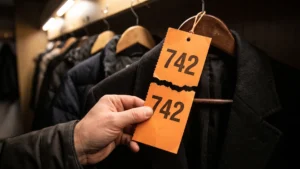
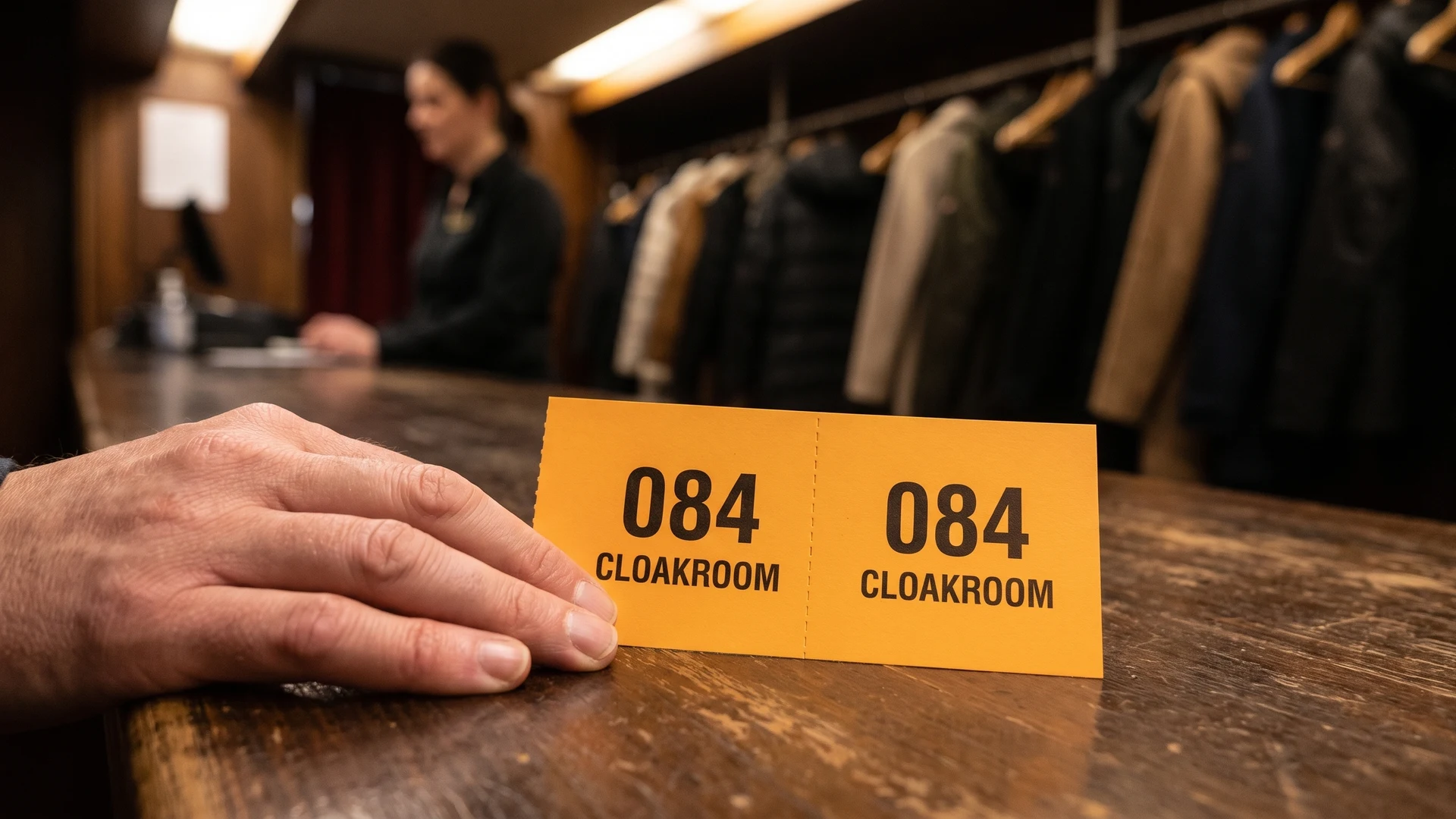
A cloakroom ticket requires two matching sections with the exact same number clearly printed on both. One section stays securely with the visitor while the other is physically attached to their stored coat or bag. The front of this ticket type only needs a large number and perhaps a simple identifier to prevent mix-ups during busy collection times. Adding any extra text to a cloakroom ticket only distracts from the vital task of matching the guest with the correct item.
Food and drink redemption values
Food and drink tickets must communicate a specific value or item to the staff member working behind a busy service desk. Printing the exact redemption value or product type in large text on the front reduces the chance of serving errors. You can also assign different ticket colours to specific food or drink categories to help staff recognise the correct value instantly. Keeping the front entirely focused on the exchange ensures the service line moves efficiently.
Using the back of the ticket for terms and conditions
The reverse side of a printed ticket provides the ideal location for rules, disclaimers, and event policies. Visitors do not need to present this legal information to your staff at the exact moment of entry or collection. By shifting terms and conditions to the back, you utilise blank space effectively without compromising the primary validation function of the ticket. This separation ensures that attendees still receive all the necessary guidelines before they arrive at the venue.
Venue managers and procurement leads can use this reverse space to outline refund policies, age restrictions, or safety rules. You should print this text clearly, even if the font size must be relatively small to fit the available dimensions. Providing these details on the back protects your organisation and manages visitor expectations before any disputes occur at the gate. Organising the ticket this way balances necessary legal compliance with practical space management.
Steps for writing realistic ticket policies
Condensing lengthy rules into short statements requires a clear drafting method so you do not attempt to print unreadable blocks of text. You should focus on plain language and educational guidance rather than complex legal jargon that visitors might misunderstand. Following a specific sequence helps your team create realistic policies that fit the limited physical space of a ticket while remaining genuinely useful to the reader.
- Identify the essential rules: Select only the critical policies that directly affect the visitor experience, such as entry times, refund conditions, and age limits. You should leave out minor internal administrative rules to save valuable printing space on the back of the ticket. Prioritising the most important conditions ensures that visitors actually read and understand the primary guidelines for the event.
- Draft in plain language: Rewrite your selected rules using everyday terms instead of formal legal jargon. You can replace long explanations with short, direct instructions that a visitor can comprehend in a single glance. Using simple vocabulary prevents misunderstandings and makes the final text much more accessible to a general audience.
- Format for readability: Break the simplified text down into short bullet points or clearly separated sentences. You must avoid dense paragraphs that become illegible when printed in a smaller font size on the reverse side of a ticket. Leaving enough white space between each point helps the reader absorb the information quickly.
- Review and refine: Ask a colleague who is not involved in the planning process to read the drafted policies. They can help you identify any remaining confusing phrases or unnecessary words that take up too much room. Refining the text one last time guarantees that the final printed ticket is both educational and highly practical.
Adding contact details and support links
Positioning your necessary contact information on the ticket ensures attendees can resolve queries before or after the event. You should place details like a general support email address or a simple website link at the bottom of the reverse side. This placement keeps organisers accessible and accountable to visitors without cluttering the vital operational space on the front of the ticket. Providing clear communication channels builds confidence between your organisation and your guests. If your team needs further educational resources on physical ticketing setups, you can contact Coupon Tickets at contact@coupontickets.com for objective guidance.
What should stay on the ticket front, and what can move to the back?
The front should hold only the operational essentials your team needs. Move terms, conditions, and contact to the back. Keep the front for event name, date, value or seat, numbering, and any redemption note. Use the back for refund policy, liability wording, conduct rules, and a pointer to full terms.
How much legal or policy text is realistic to print on a ticket?
Keep it brief and essential. Use one short paragraph in plain language that covers refunds, admission rights, and prohibited items. Direct guests to the full terms on your website, booking confirmation, or at the venue. Print a sample and check that the smallest text remains readable.
Where should I place contact details on the ticket?
Place one clear contact method on the back. A role address like info@yourvenue.com or a phone number works well. Only show contact on the front if staff must use it during checks, such as lost property or verification. Keep it short and avoid long postal addresses.
How do I handle terms when the ticket has a tear off stub?
Keep full terms on the main ticket body or its back. Use the stub only for essentials like Retain stub for re-entry and the matching number. Make sure numbering appears on both parts. Position the tear line so staff can separate sections without cutting through key wording.
How can I fit two languages without making the text unreadable?
Prioritise operational items on the front with short bilingual labels. Keep longer terms on the back, then point to full terms in both languages online or at the venue. If audiences are distinct, consider separate print runs or versions identified by colour and a letter code, not colour alone.